Showing posts with label Blogging Tips. Show all posts

My Biggest Challenge as a DIY Blogger

As a blogger I've found that the biggest problem I've had is the ability to consistently get good photos. Most of my photos are taken inside of my home and if the lighting isn't just right, my pictures just don't do any justice to my projects. I feel like I'm spending as much time taking my photos as I do on many of the projects themselves. Taking as many as 40, 50 or even 100 shots to try to get just a few good one's probably isn't the best use of time. Lately I haven't been posting very often because I'm so frustrated that my photos just don't look good enough. 

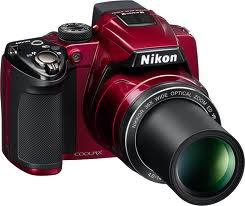
I currently have about five projects that I want to share... I've shot several pictures of these projects, but none of them are good enough to post. I have a fairly decent Nikon camera... and outdoors it takes beautiful photos. I feel I should be able to get better quality photos indoors. I've read all about my camera and how to use it, but I am still struggling!  

I've decided that it's time I do something to improve the quality of my photos and spend less time taking them.  At first I thought I needed a better (much more expensive) camera... but after some research I found that I actually just need to improve my lighting.  I've decided to invest in some (not too expensive) photography and video lighting to create my own home studio. I've been researching different lighting options and have found a few that are rated well for their inexpensive cost.  After reading many reviews I've decided to purchase these portable umbrella photography lights.

I can't wait to receive them and test them out.  I will show you my results of photos taken without the new lighting and then the photos taken with my new studio quality lighting.  I hope to be able to show you a huge improvement in the quality of my photos... and also be able to significantly reduce the number of photos I have to take.

Until next time...
Diana


Can You Actually Make Money Blogging? - My Experience

Can you actually make money blogging?  This is a post I have thought of writing several times.  I thought about being generic and giving a few tips or ideas on how to make a few dollars blogging... But I've struggled with this one question.  Do I share the actual numbers with people, how much money I've made each month from my part time blog?

Is it appropriate to discuss actual dollars and cents with people?  When I first started blogging I wanted to know the truth.  I wanted someone to tell me their actual figures, what their success or lack of success had been.  I saw posts that said things like "I make enough each month for a fancy cup of coffee"... or another that said "I make a pretty good living from my blog".  But nothing that spoke of actual numbers.

Let me start of by saying this:  Nobody is going to get rich quick blogging!  And if blogging to get rich is your goal, you might want to rethink blogging all together.  If you're going to blog it should be something you are passionate about.  Your topic should be something that interests you and that you want to share with others.  When you blog, even if you hope to make a little extra income, you need to understand that normally it takes anywhere from one to two years to even begin to make any money.  Yes, that means you basically are blogging for FREE... so if you don't love it, you probably shouldn't do it.

I've decided to share my story and the actual $$$ amount I've made from my blog.  It may encourage you or it may discourage you, but hopefully it will reach those who are thinking of blogging while trying to make a few dollars at the same time.  I hope that nobody is offended by my discussing actual dollar amounts.  I am not bragging (as you will see, it's not enough money to brag about) Lol...  I just want to share the truth about my experience.

First I will tell you a little about me, I love decorating!  I was a single mom for many years so decorating on a next to nothing budget was the only way I was able to decorate.  I learned how to take inexpensive items (other peoples junk) and turn them into one of a kind treasures.  I've always been crafty and so it's something I found that I love to do.  

Early 2001, as a single mom, I went from being a full time working super mom (who pretty much handled everything and then some, without getting much sleep), to being sickly and constantly in pain.  Long story short, late that year I was diagnosed with Fibromyalgia and CFS (chronic fatigue syndrome) and have not worked full time or held a regular job since.  You can read more about my life and living with chronic pain if you are interested on my "About Me" page.    

In 2003, I married my now husband Jim.  He likes my "thrifty ways" so he encourages me and helps me with my many projects.  We had a successful eBay store for three years (2006 - 2008), where we sold furniture appliques and made custom chandeliers and lamps.  It was a good fit for me since I got to do it from home and on my own schedule (when I felt well enough).   I shared several of my chandelier creations on a prior blog post (Chandeliers I've Made).  At the end of the three years on eBay I decided I didn't want to do it anymore.  What was once so creative and fun, became more about manufacturing items and I admit that I completely burnt out on it.

I haven't worked a job of any kind since eBay.  Well, other than being a wife, mom, homemaker, maid, cook, chauffeur, home decorator, etc...  I haven't worked a paying job.  Although I wanted to start a blog for fun, I figured if I could make a few dollars at it, why not try!

I started this blog on September 6th of 2011.  I created it through the Blogger platform, which I still use today.  The one thing Blogger does that helped my blog in the early days was that they automatically list blog postings and pictures in Google search results.  So most of my early hits were from the Google search engine.  As for how I get additional traffic to my blog, I will leave that information for a future post.  This post will focus on how I make money from my blog.

When I created my blog, I immediately put Google Adsense on the layout.  It was something the Blogger platform made simple to add, so I signed up for it and I added it.  This was probably not the smartest thing to do in the very beginning because I may have lost some potential followers because the advertising could have scared them away.  But, it is the route that I chose to take.

As for my earnings...  I have listed all of them below.  In the beginning Adsense was my only revenue source.  After a time, I added additional sources.  After awhile I added additional income sources.  Each you will see as you continue reading below.

Google Adsense earnings from September 2011 - (don't laugh)  .47
(yes, 47 cents).  Google doesn't actually pay you until you reach the $10 threshold, but that was okay.  I wanted to blog as a way to share my love for decorating on a budget and make a few friends along the way.  Any money I actually made from it was just icing.  Okay, 47 cents wouldn't even buy icing, but you get the picture :)

October 2011       Google earnings   $ 3.55
November 2011   Google earnings   $40.00
December 2011    Google earnings  $67.88

Wow... I was shocked at this point.  I realized that the Christmas posts were drawing many many views.  People started looking for Christmas Decorating ideas in early November and into mid  December.  I was thrilled to see I was making a few dollars so early in my blogging endeavor   However, come January, it would likely be slow (and it was).

January 2012  Google earnings   $ 27.64
February 2012 Google earnings  $ 17.84
March 2012 Google earnings      $ 25.65
April 2012  Google earnings       $ 29.00
May 2012   Google earnings       $ 27.23
June 2012   Google earnings       $ 40.26
July 2012    Google earnings       $ 63.76
August 2012 Google earnings     $123.02
September 2012 Google earnings $ 98.87
October 2012 Google earnings    $101.95
November 2012 Google earnings $201.03
December 2012 Google earnings $175.70

The holidays again were very busy on my blog.  Because of them I actually received a 1099 from Google for 2012.  I figured this was pretty good considering it was my first full year of blogging!  It's easy to see that the pattern of slow months early in the year and then getting busy around the holidays would be a normal thing for my blog.

As January came I knew revenue would decrease again, but I didn't know how much.

January 2013 - Google earnings - $40.33

Now that it is the later part of February, and I can see that February will be higher than January this year.  As my blog grows, so does the amount I make from each of my revenue streams.  Above I only  showed you only the Google Adsense revenue for each month.  However, I also have two other sources of revenue on my blog.  I use Amazon Associates.  This is where I link to Amazon items and if people purchase those items, I get a percentage of each sale.  I did not use this much in the beginning.  I will give you a per quarter breakdown for last years earnings.

Q1 2012 - Amazon earnings  $   3.23
Q2 2012 - Amazon earnings  $ 22.35
Q3 2012 - Amazon earnings  $ 51.90
Q4 2012 - Amazon earnings  $112.79

You can see that again Christmas (the holidays) are when people are spending the most, so this is when the earnings go up.  I shop myself quite a bit on Amazon, so now I buy crafting items on Amazon and then share them with my readers.  

I have a third revenue stream and that is BlogHer Publishing Network.  I signed with the BlogHer Publishing Network at the end of August 2012.  I will share with you the revenue from September through December, and then January.  BlogHer works differently than Adsense in that with Adsense you get paid per click.  With BlogHer you get paid for visits to each page.  When I signed with BlogHer, I had no idea what to expect earnings wise.  I figured $10 to $30 a month.  I was pleasantly surprised after my first month!  Since the blog is very busy around the holidays, it was a perfect time to start with this kind advertising.

September 2012 - BlogHer earnings   $133.73
October 2012     - BlogHer earnings   $101.85
November 2012  - BlogHer earnings  $231.52
December 2012  - BlogHer earnings   $196.22

This January (after the holidays) visits to my blog fell off drastically again.  I've seen this happen now two years in a row.  For January 2013 BlogHer earnings are only $27.  February will be a bit higher (estimate about $50). 

Keep in mind, I am only a part time blogger.  I usually blog a couple of posts each week.  Depending on my health and the speed which I finish my projects, determines how often I blog.  I realize if I blogged more, I would likely make more.  I'm not getting rich off of blogging, but the extra income does help.  It mostly helps me support my many ongoing projects around our house.  Thank you to my readers for helping me support my decorating habit :)  

There are of course many ways to make money blogging.  I have mentioned just the few that I have chosen to use.  I try to keep my blog posts relevant to what I do.  And I keep the advertising off to the side or top out of the way.  I try not to let any of it interfere with my blog content.  Blogging does take time and effort.  It is nice to be able to make a few dollars while doing something you love.

Each persons experience with Blogging is different.  I hope my sharing this information has helped or encouraged you in some way.  I chose to be completely honest with the numbers and my experience, as it's the only way to truly share this type of information.  

Blessings...

Until next time,
Diana

Visit link for my Additional Blogging Tips

Are You Addicted to Blogging? Finding Your Balance


Many bloggers feel the need to blog all the time.  Every single day and many nights too, blog blog blog...  The laptop can become like an umbilical cord (a lifeline) and separating from it can be difficult at times.  Often bloggers spend so much of their time blogging, doing projects for their blog, talking to other bloggers about their blog and planning what to do for their next blog post.  For some, blogging becomes a type of addiction.  Blogging is a ton of fun and it can be very rewarding.  However, if you let it, it can become an obsession and cause you to neglect other areas of your life that need your attention too.

The ability to have this forum where we connect with so many people from all over the world is, simply put, amazing.  But we need to keep it in balance with other things that are important in our lives too.  

Could you be spending too much time blogging?  

Are you neglecting other areas of your life that need attention?  

Here are a few questions you can ask yourself to see if you have the proper balance in your personal vs. blogging life.  There are no right or wrong answers, just be honest with yourself when thinking about your answers.

If you have children... Do you spend true quality time with your kids?  Or do you put them off telling them "we will do that later"?  

If you are in a relationship, do you and your spouse (or that special someone) have enough "together" time?  Or do you often find yourself online, blogging or working on projects for your blog when they are around?

Do you neglect your family, your friends, your faith, or anything else that should be a priority in your life all for the sake of blogging?

Do you ignore your household chores and blog instead?  (I admit that I am super guilty of this one!!!)

Have you become a workaholic, or should I call it a Blogaholic???

If you have, there are boundaries you can set for yourself to help find and maintain balance.  Below are a few suggestions to help you get back balance in your life:

  • Treat blogging like a job.  If you are doing it full time, then try allowing just 40 hours a week to devote to it.
  •  If you have kids at school and/or a spouse at work, try to work on your blog mostly while they are away.
  • When the kids are home, plan a few activities with them each week.  Even simple activities can be very special.  Schedule the activity ahead of time like it's a date.  Maybe a trip to the park, read a book or watch a movie together, make them a special lunch, or take them out for ice cream.  By planning little dates with them they know you have set special time aside just for them.  It makes them feel special and it gives them something to look forward to when you are busy.
  • Also remember to take a little "me" time... time for yourself.  Soak in a tub, get a massage or a manicure (if you like that sort of thing)... Read a good book.  Take time to re-charge your batteries so you will have the energy to keep up with everything else.

Keeping balance for me means that I post to my blog only a few times each week.  I work on my DIY projects a few days a week and I try to keep my nights open for spending quality time with my hubby.  I am lucky that my husband likes to do DIY house projects and so we get to enjoy doing the larger projects together (usually on weekends).  My daughters, now adults, both live an hour or more away so I don't see them as often as I would like, but we do talk on the phone often and get together when we can.  I remember to take "me" time every day.  I learned to do this about 11 years ago when I got slammed with Fibromyalgia.  When you live with chronic pain you need to "re-charge" your batteries on a regular basis...  So things like a soak in a bubble bath, reading a good book, and getting massages are regular "to do" items on my list. 

I don't know exactly what inspired me to write this post other than it's been on my mind lately.  If this post can help even one person realize that it is important to have balance in their life, that is all I can ask for.  Being blog obsessed might be fine for some peoples lifestyles.  But if you have a blog and you have loved one's then remember they both need to be given quality time and attention!  I suggest spending as much time with your family as you can, because the blog will still be there when you are done.

When I die, I don't want to be remembered as this - "Wow, she was a really good blogger"... but rather I'd like to be remembered as a Godly woman, a good wife, a good mother and a good friend.

Blessings,
Diana


Are You A No Reply Blogger? How to Fix the Problem...


Today I was contacted by a fellow blogger and she told me that I was a No Reply Blogger.  I was like... huh.. what the heck does that mean.  What is a "No Reply Blogger"?  It means that every time I left a comment or a question on someones blog they couldn't respond to me.  And to think, I thought I was just being ignored, I was so NOT popular and nobody liked me... (LoL).  I'm so glad I was wrong!

I promise I am not anti-social...  In fact it's quite the opposite.  I talk probably a bit too much. I love getting to know people and making new friends!  So of course I am thrilled that I was able to fix this problem.


I'm not sure exactly when or how it happened.  I think the problem goes back to when Google Plus was introduced.  It somehow changed some of the settings on my blog.  I stopped using Google Plus awhile back, but I didn't realize that some of my original settings on my Google account were changed.

I figure that I'm probably not the only one with this problem, so I thought I'd let all of you Blogger users how you too can fix it.

The problem is in the User Profile on Blogger.  Where it says "show my email address", this box was not checked which made me a no reply blogger.  I had my email address on my profile, it was just the box not being checked that made people unable to reply to me.  When someone would try to respond to my comments via their blog they got a message saying "No Reply Blogger".  So apparently I was being anti-social without even knowing it.  I'm really nice, I promise and now that it is fixed I hope to talk to many more of you.  

Fixing the problem is actually quite easy once you know how...

Here is an easy 5 step tutorial on how to fix it so people can reply to you... 


That is it.  If you followed these simple steps, the problem is fixed :)

Blessings,
Diana


Important - How to Back Up Your Blog

Earlier this week a fellow blogger had her blog disappear completely.  No rhyme or reason why.... Just POOF and it was gone.  How the heck does that happen???  It got me to thinking, what would I do if my blog disappeared?  I do have a back up of my template, but absolutely nothing backed up on any of my posts.  Having to recreate them would be nearly impossible.  I felt so sorry for her!  I hate that she had to go through not knowing if she would ever see her data, all that hard work again.  She had over two years of work and so many amazing posts that she now had no control over.  She didn't know where it all went.  When she tried to access her blog, it said "does not exist".  Her blog actually disappeared for over 24 hours, but thank God it somehow finally came back.  There was no explanation from blogger as to why it disappeared or how it came back up.  All she knows is that it did.

It turns out that there is a way to export and save a copy of your entire blogger blog, which includes the posts.  Once she found out how, she posted the information for the rest of us.  I wanted to share her story and the great blog back up information with you.  Once I found out via her post how easy it actually is to export my entire blog to my computer, I felt so much better about my blog.  Hopefully something like what happened to her won't ever happen again, but knowing that there is a back up on my computer definitely makes me feel more confident knowing that should something like this happen to me, I have options.

Here are the instructions how to save a copy of your entire Blogger blog:


Via the blogger interface (dashboard)
Click on “Settings” (on the left hand side), 
then click “Other” (also on the left side), 
see near the top where it says BLOG TOOLS,
right next to that Click “Export blog”
Then click "download blog"

A copy will save to your computer downloads file 

I like to open my downloads file and make a copy of the Blog File
(it is easy to find since it is named and dated = "BLOG - xx/xx/12")  

I put a copy of it in a folder I've named blog Backups.

I like to back it up every couple of weeks. 


Want to Take Better Photos?

I've been a little out of it this past week and haven't blogged too much.  I had a flu bug and then a migraine (ugh...), however I'm happy to report I am finally on the mend :)

Today while I was looking at posts from fellow bloggers, I ran across a post that I completely related to.  I am struggling to master taking great photographs.  In fact, I pretty much feel like I am still in kindergarten when it comes to photography.  I got a new camera just over a month ago, but so far I mostly use it on the auto setting. Often the pictures are either over exposed or under exposed.  On occasion I get a great shot, when the light in the room is just right, but it is RARE!  I need to learn how to manually adjust the settings to allow more light, less light, etc...  I know their all all kinds of photography terms, like aperture, f-stop, shutter speed... etc... but honestly they are all pretty much foreign to me.  The only setting I actually have experience with is AUTO... (insert laughing at self here).  My new camera has all of the capabilities, and even shoots 1080 video.  I just need to figure it all out.  The manual (book) that came with my camera is very basic and doesn't really teach much of anything.  I'm thinking of looking for an online photography course for dummies (yeah, I am admitting that when it comes to cameras, I'm not the brightest crayon in the box).  But that is okay with me.  I figure that as I learn, (so far from trial and error), I can only get better!  At least I hope I will :)

The link to the great post I came across is below. After reading her tips I feel inspired to figure my camera out and truly learn to take great pictures!

Between Naps on the Porch: One Thing I Wish I Had Known Before I Began Bloggi...: One of these days I'm going to write a post and title it: The 10 Things I Wish I Had Known When I First Began Blogging ."  If I ever write that post, "master the manual setting on your camera" will be at the very top of the list.   As proof, let me give you exhibit A, this picture of my guest room below...  Continued Reading Here


I hope her tips inspire you too!

Do any of you have any great photography suggestions?